> ## Documentation Index
> Fetch the complete documentation index at: https://docs.awaitio.com/llms.txt
> Use this file to discover all available pages before exploring further.
# Display Markdown
> Shows formatted text written in markdown.
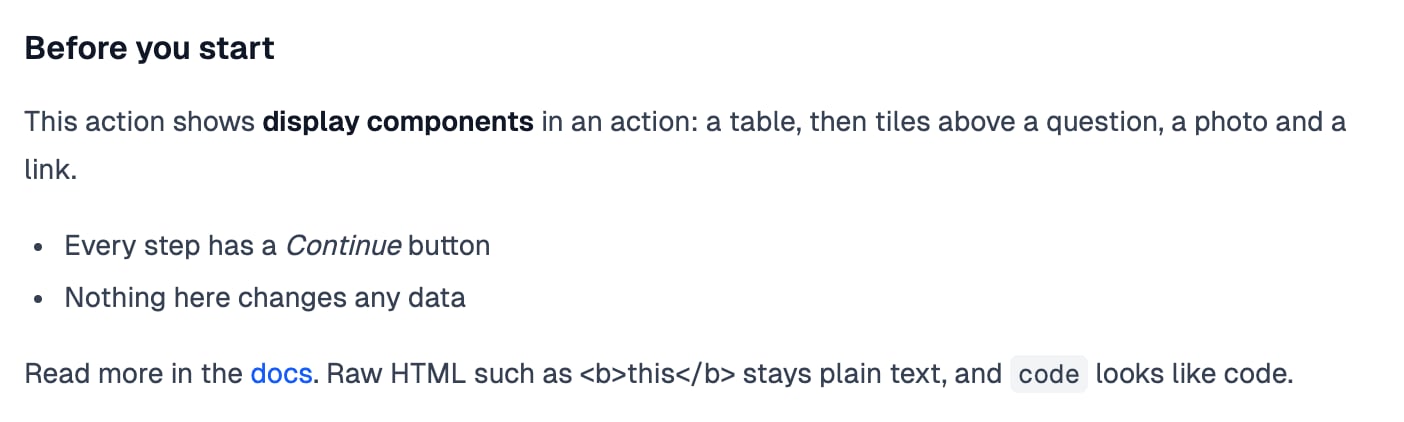
`io.display.markdown()` shows formatted text in a folder's page or in a step of an action: headings, paragraphs, lists, links and code. It only displays and returns nothing. Provided by the `@awaitio/display-markdown` package.
 ## Install
```bash theme={null}
npm install @awaitio/display-markdown
```
## Setup
Register it under the key you want in `io`:
```ts app.ts {5} theme={null}
import { displayMarkdown } from '@awaitio/display-markdown';
export const app = new AwaitIO({
// name, actionsDirectory, theme, secret, users…
components: { display: { markdown: displayMarkdown } },
});
```
## Usage
```ts theme={null}
await io.display.markdown(`
## Before you delete
The account **${account.name}** has ${account.users} users.
- Their runs stay in the log
- Invoices are kept for 10 years
`);
```
The text is the first and only argument; it takes no props. Raw HTML in it is shown as text, so values from the database cannot add their own markup.
This documentation is built and hosted on [Mintlify](https://mintlify.com), a developer documentation platform.
## Install
```bash theme={null}
npm install @awaitio/display-markdown
```
## Setup
Register it under the key you want in `io`:
```ts app.ts {5} theme={null}
import { displayMarkdown } from '@awaitio/display-markdown';
export const app = new AwaitIO({
// name, actionsDirectory, theme, secret, users…
components: { display: { markdown: displayMarkdown } },
});
```
## Usage
```ts theme={null}
await io.display.markdown(`
## Before you delete
The account **${account.name}** has ${account.users} users.
- Their runs stay in the log
- Invoices are kept for 10 years
`);
```
The text is the first and only argument; it takes no props. Raw HTML in it is shown as text, so values from the database cannot add their own markup.
This documentation is built and hosted on [Mintlify](https://mintlify.com), a developer documentation platform.