> ## Documentation Index
> Fetch the complete documentation index at: https://docs.awaitio.com/llms.txt
> Use this file to discover all available pages before exploring further.
# Select Single
> Asks to pick one of a list of options.
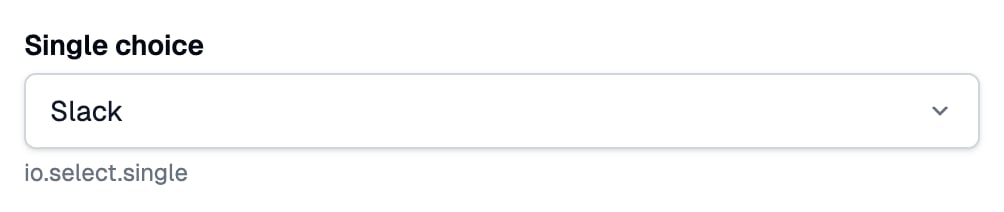
`io.select.single()` asks to pick one option from a drop-down and returns its value. Provided by the `@awaitio/select-single` package.
## Install
```bash theme={null}
npm install @awaitio/select-single
```
## Setup
Register it under the key you want in `io`, see [Input components](/core/components):
```ts app.ts {5} theme={null}
import { selectSingle } from '@awaitio/select-single';
export const app = new AwaitIO({
// name, actionsDirectory, theme, secret, users…
components: { select: { single: selectSingle } },
});
```
## Usage
```ts theme={null}
const role = await io.select.single('New role', {
options: [
{ value: 'admin', label: 'Admin' },
{ value: 'editor', label: 'Editor' },
{ value: 'viewer', label: 'Viewer' },
],
defaultValue: 'editor',
});
```
## Props
| Prop | Type | Required | Description |
| - | - | - | - |
| `options` | `{ value, label }[]` | Required | What to choose from, at least one. The drop-down shows `label`. |
| `defaultValue` | `string` | Optional | The `value` chosen at the start. Nothing is chosen when left out. |
| `helpText` | `string` | Optional | Secondary text under the field. |
| `disabled` | `boolean` | Optional | Shows the starting value without letting it change; the handler gets that value whatever the browser sends. |
## Optional
The field is required. Chain `.optional()` to let it stay empty; the handler then gets `string | undefined`, see [Optional fields](/core/components#optional-fields).
```ts theme={null}
const team = await io.select.single('Team', { options: teams }).optional();
```
## Returns
`string`: the chosen option's `value`.
## Built-in validation
The server checks every answer, so a crafted request cannot slip in another value:
| When | Message |
| - | - |
| Nothing chosen | `Choose
 ## Install
```bash theme={null}
npm install @awaitio/select-single
```
## Setup
Register it under the key you want in `io`, see [Input components](/core/components):
```ts app.ts {5} theme={null}
import { selectSingle } from '@awaitio/select-single';
export const app = new AwaitIO({
// name, actionsDirectory, theme, secret, users…
components: { select: { single: selectSingle } },
});
```
## Usage
```ts theme={null}
const role = await io.select.single('New role', {
options: [
{ value: 'admin', label: 'Admin' },
{ value: 'editor', label: 'Editor' },
{ value: 'viewer', label: 'Viewer' },
],
defaultValue: 'editor',
});
```
## Props
| Prop | Type | Required | Description |
| - | - | - | - |
| `options` | `{ value, label }[]` | Required | What to choose from, at least one. The drop-down shows `label`. |
| `defaultValue` | `string` | Optional | The `value` chosen at the start. Nothing is chosen when left out. |
| `helpText` | `string` | Optional | Secondary text under the field. |
| `disabled` | `boolean` | Optional | Shows the starting value without letting it change; the handler gets that value whatever the browser sends. |
## Optional
The field is required. Chain `.optional()` to let it stay empty; the handler then gets `string | undefined`, see [Optional fields](/core/components#optional-fields).
```ts theme={null}
const team = await io.select.single('Team', { options: teams }).optional();
```
## Returns
`string`: the chosen option's `value`.
## Built-in validation
The server checks every answer, so a crafted request cannot slip in another value:
| When | Message |
| - | - |
| Nothing chosen | `Choose
## Install
```bash theme={null}
npm install @awaitio/select-single
```
## Setup
Register it under the key you want in `io`, see [Input components](/core/components):
```ts app.ts {5} theme={null}
import { selectSingle } from '@awaitio/select-single';
export const app = new AwaitIO({
// name, actionsDirectory, theme, secret, users…
components: { select: { single: selectSingle } },
});
```
## Usage
```ts theme={null}
const role = await io.select.single('New role', {
options: [
{ value: 'admin', label: 'Admin' },
{ value: 'editor', label: 'Editor' },
{ value: 'viewer', label: 'Viewer' },
],
defaultValue: 'editor',
});
```
## Props
| Prop | Type | Required | Description |
| - | - | - | - |
| `options` | `{ value, label }[]` | Required | What to choose from, at least one. The drop-down shows `label`. |
| `defaultValue` | `string` | Optional | The `value` chosen at the start. Nothing is chosen when left out. |
| `helpText` | `string` | Optional | Secondary text under the field. |
| `disabled` | `boolean` | Optional | Shows the starting value without letting it change; the handler gets that value whatever the browser sends. |
## Optional
The field is required. Chain `.optional()` to let it stay empty; the handler then gets `string | undefined`, see [Optional fields](/core/components#optional-fields).
```ts theme={null}
const team = await io.select.single('Team', { options: teams }).optional();
```
## Returns
`string`: the chosen option's `value`.
## Built-in validation
The server checks every answer, so a crafted request cannot slip in another value:
| When | Message |
| - | - |
| Nothing chosen | `Choose