new AwaitIO() as actionsDirectory and every file in it becomes an action, with its path as the URL and its folders as the navigation.
app.ts
Two ways to lay it out
Start flat and sort the actions into folders once the list gets long. Moving a file changes its URL, so links to it change too.Minimal setup without folders
Every action sits directly inactions/, as in the Quickstart:
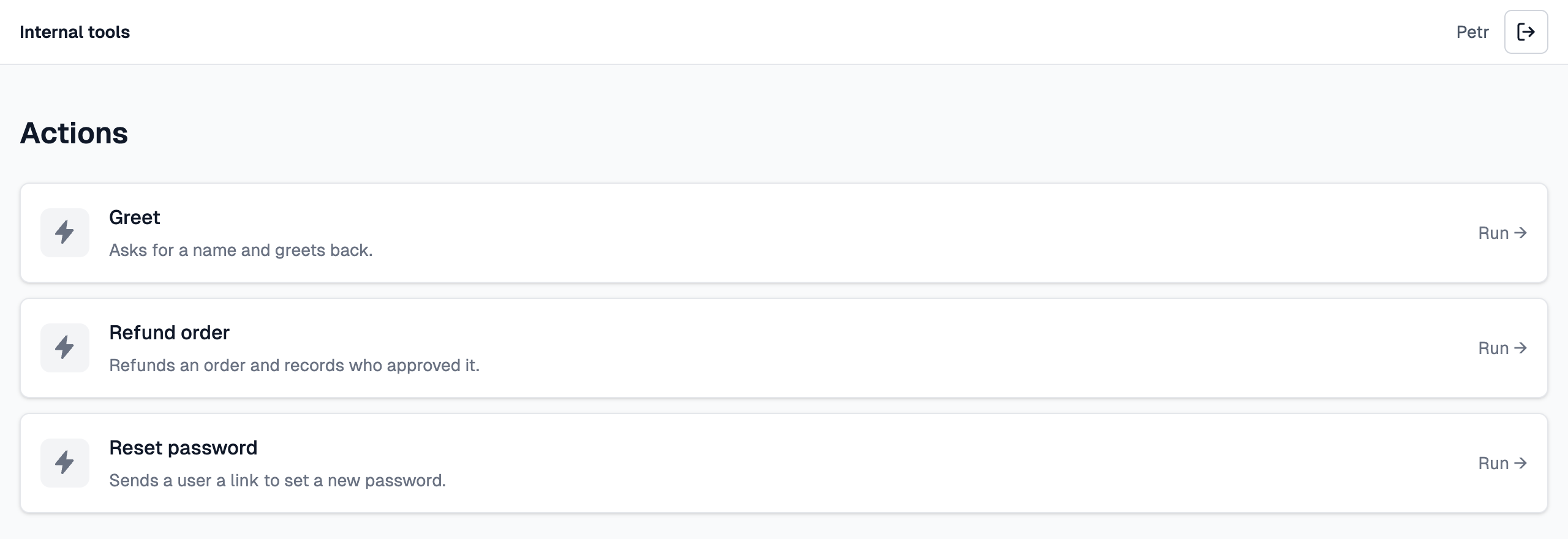
A flat actions folder: the home page lists every action.
Folders with tabs and a file browser
Put the actions into folders and the folders become the navigation: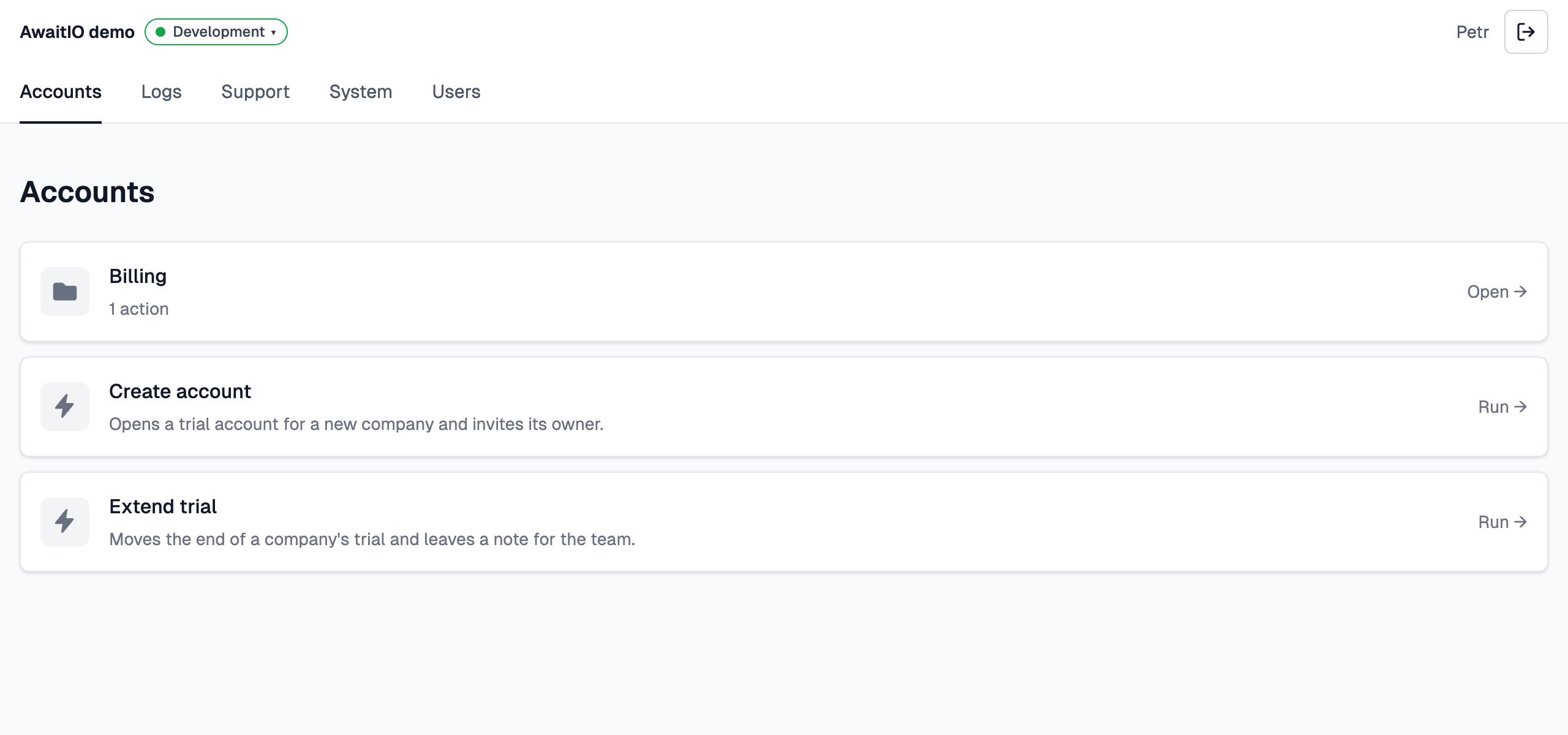
The Accounts tab of the demo app: the Billing subfolder as a card, then the actions of Accounts itself.
- Top-level folders are tabs. Each folder directly in
actions/becomes a tab in the second row of the header (Accounts, Logs, Support, System, Users) at/groups/<folder>, e.g./groups/accounts. There is no tab with everything:/opens the first tab. - A folder shows only what is directly in it, like a file browser: its subfolders as cards first, then its own actions. Open a subfolder card to see what is inside:
/groups/accounts/billing. A folder with a page (see below) lists them in a column on the left instead and shows the page next to them. - Breadcrumbs. Inside a subfolder and above an action, ← Actions › Accounts › Billing links back to each folder. Leaving a run that is still going cancels it.
The path is the URL
The slug of an action is its path in the folder, each part in snake_case. This is the demo app in folders, each file with its URL:createAccount.ts,create_account.tsandcreate-account.tsall give the slugcreate_account, and folders follow the same rule. Two files that end up with the same slug stop the app at start.- Folders go as deep as you need.
- The handler reads the slug as
ctx.action.slug:accounts/create_account. - The list shows names, not paths: the URL is what you link to, not something people read.
One file, one action
Each file exports oneapp.action(...), as a named or a default export:
actions/accounts/createAccount.ts
app for their typed io, so keep new AwaitIO() in its own app.ts; AwaitIO imports the action files itself.
Skipped: files and folders whose name starts with _ or ., *.test.ts, *.spec.ts and *.d.ts. Put helpers that are not actions in a folder like actions/_shared/, or outside the actions folder.
index.ts is the folder
index.ts stands for its folder. It can export either:
- a page with
app.page(): the folder then shows its subfolders and actions in a column on the left and the page on the right, such as a table of all users. In the demo,users/index.tsis one. - an action with
app.action(): it gets the folder’s slug (billing/index.tsis at/actions/billing) and leads the folder’s actions.
actions/ has no index file; an index.ts there stops the app at start.
Names and order
- Every action needs a
name: the action list and the run page show it. An action without one stops the app at start. - Folders are named after themselves, in words:
billingreads Billing,auditLogsandaudit_logsboth read Audit logs. - The order is alphabetical by file name. In the list, a folder’s subfolders come before its actions, and its
index.tsleads the actions.
URLs of a run
When you compile
AwaitIO loads the action files whenlisten() runs, so the folder must exist next to the compiled server with the compiled files in it. tsc keeps the layout; a bundler that produces a single file drops it.