index.ts can export a page instead of an action, see Routing. The folder then shows its subfolders and actions in a column on the left and the page on the right. A page puts display components (a table, tiles…) into a layout. It only displays, so there is no form and no Continue button.
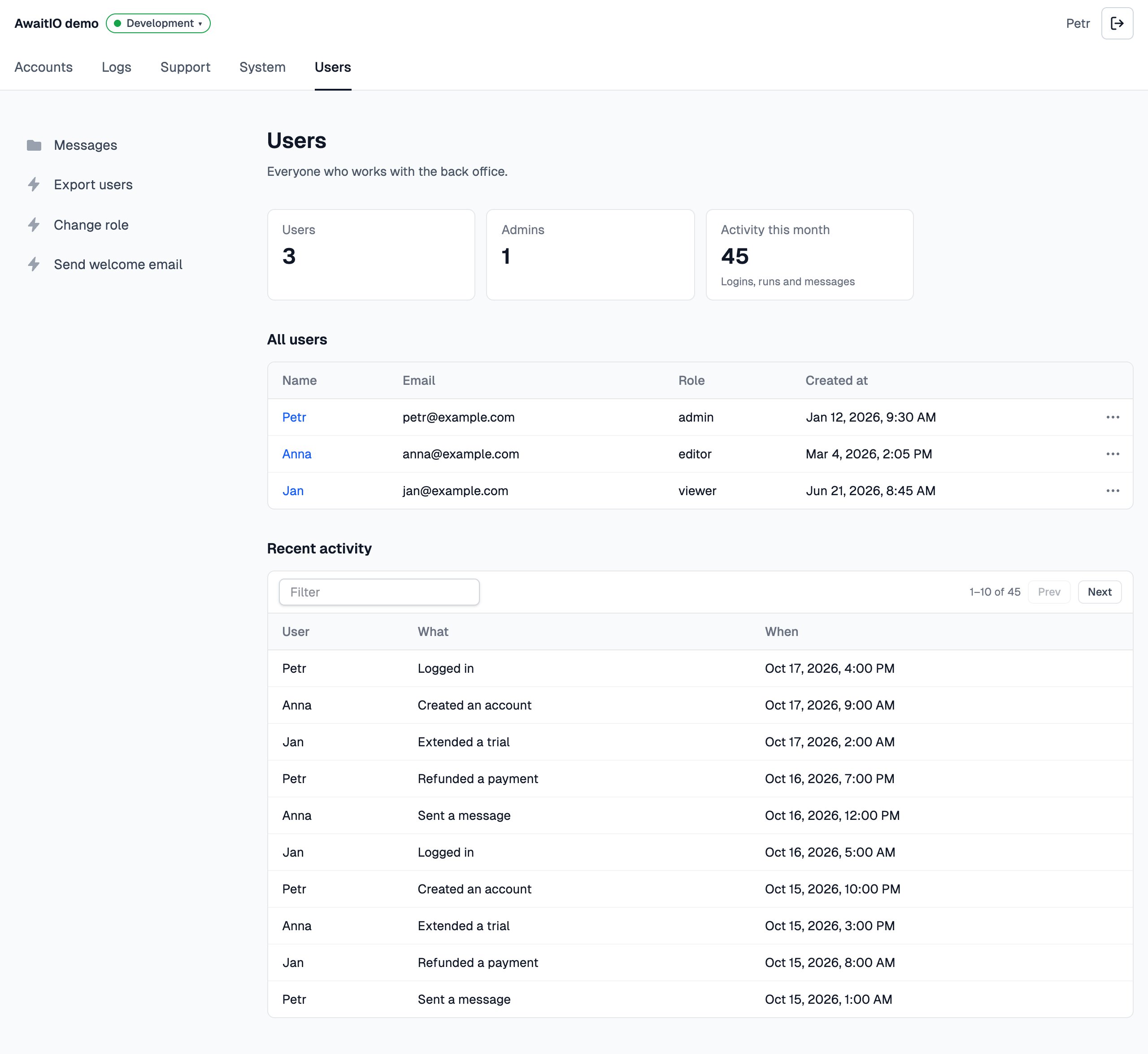
The Users folder of the demo app: its folder and actions on the left, the page in the basic layout on the right.
components, see Display components, and a layout to put them in, see Layouts.
Write a page
Exportapp.definePage() from the folder’s index.ts. The handler returns a layout with the display components in it:
actions/users/index.ts
- Every display component takes a label, shown as the heading above it (
nullfor none), and its props. - Returning just the array,
return [io.display.table(…)], puts it into the layout registered asbasic. - Props are typed by each component’s schema, and the server checks them again before they reach the browser: props that do not fit show an error instead of the page.
- The handler runs every time someone opens the folder; nothing is kept between visits.
- The handler gets
ctxlike an action:ctx.useris who opened the page andctx.paramsthe query string of the link (/groups/users?role=admin).ctx.page.slugis the folder the page stands for:users. app.definePage()belongs only in a folder’sindex.ts; anywhere else it stops the app at start.- Its const ends in
Page,usersPage, as an action’s ends inAction; the file staysindex.ts.
Layouts
The handler returns the display components inside a layout, the frame that places them. Every layout is a package registered inlayouts, the basic one too:
app.ts